

Post Grid

Display all exciting blogs on your website with stunning appearance using Post Grid of Essential Blocks for Gutenberg. Make your blog page or posts look outstanding with stunning and interactive visualization for your blogs in versatile layouts.
Limitless Content Customization

Responsive Preview Controls

Infinite Styling Possibilities

45+ Advanced Gutenberg Blocks

Create Post Grid By Following Easy Tutorial

Display Post Grid With Default Layout Style 1

Showcase your latest blogs with an interactive post grid showing category, author name, and author image on the website landing page

Highlight Taxonomy In Post Grid

Showcase your post and pages categories, post types, tags, keywords, etc Taxonomies filter to feature important ones on your website with absolute ease

No Thumbnail Found

Test 5

This is an info boxWrite a short description, that will describe the title or something informational and usefulClick Me!

No Thumbnail Found

No Thumbnail Found

Release Test

Advanced Video

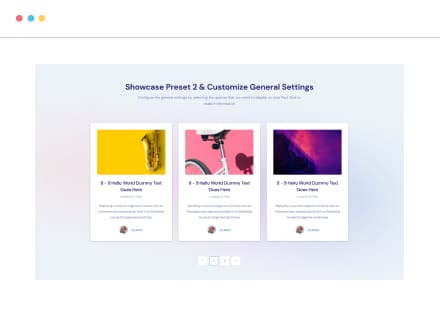
Showcase Preset 2 & Customize General Settings

Configure the post grid and showcase it on your website landing page with the date, also customize the excerpt size accordingly

Create Post Grid With Layout Style 3

Style Post Grid by showcasing date, author name, and author image, also add a ‘Load More’ button to give a CTA to the audience

Display A List View Post Grid With Style 4

Pick Preset 4 Layout for displaying a list view Post Grid to create an elegant look on your site so that audience can easily choose one

No Thumbnail Found

Test 5

This is an info boxWrite a short description, that will describe the title or something

No Thumbnail Found

Showcase Style 5 With Content Overlay

Display Post Grid on your website with content overlay, date, load more button, etc, and create a stunning section to showcase an exclusive CTA for your blogs